HospoTek Table
The booking system that knows who's on tonight
Bookings, the host stand, the guest book and the waitlist, joined to your roster and your shift.


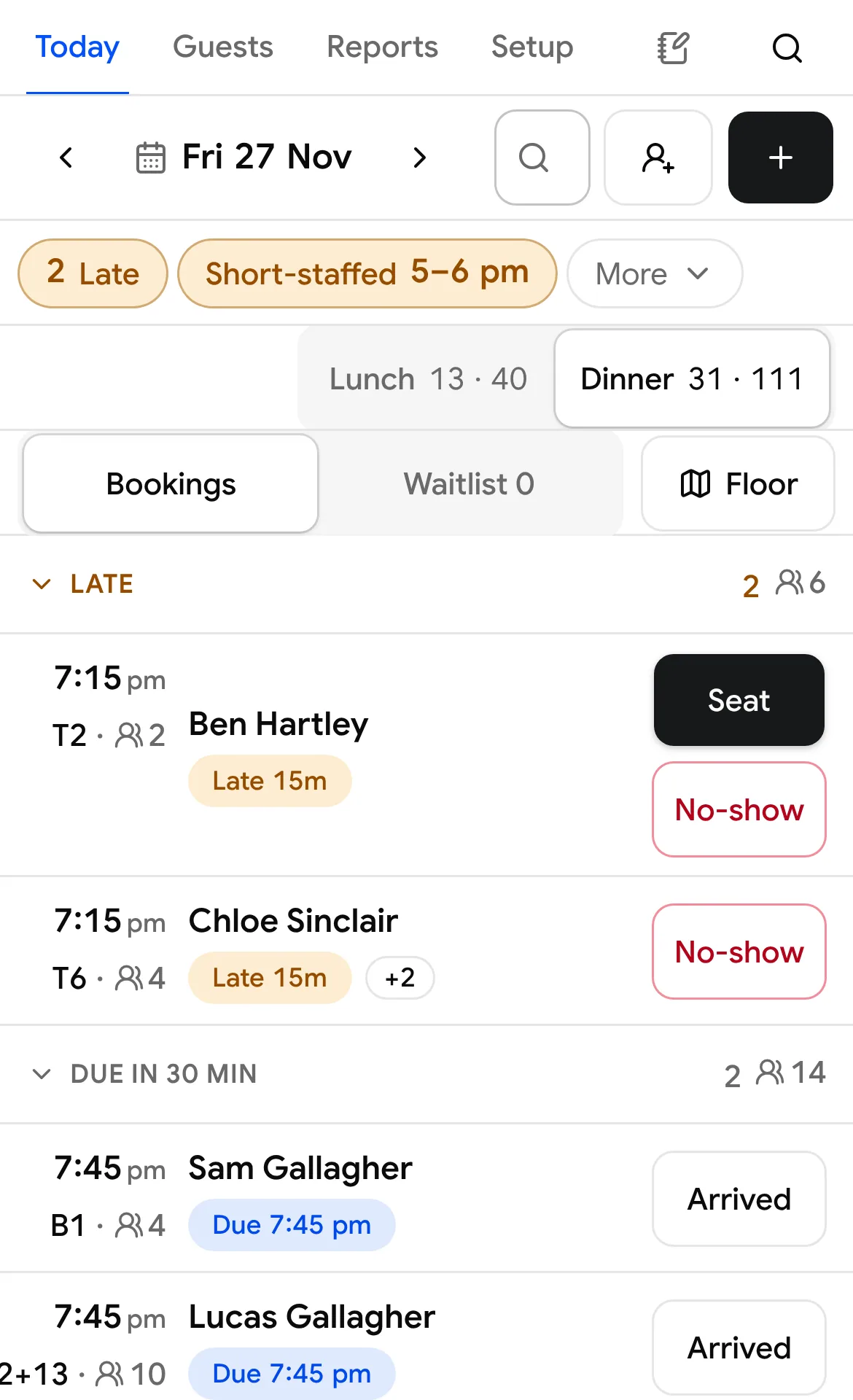
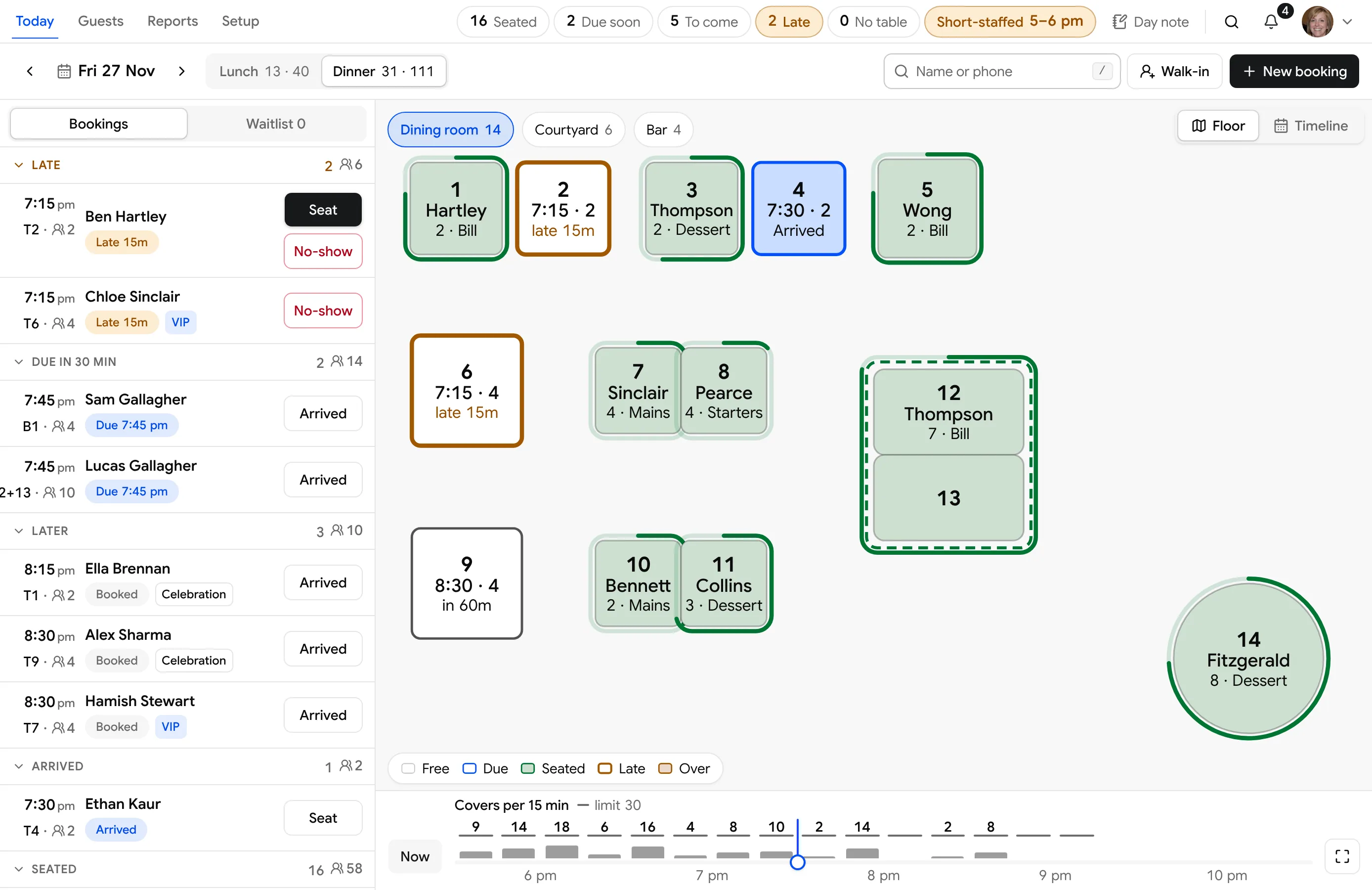
The host stand on a Friday dinner
Why HospoTek Table
Your bookings and your roster, on one screen
Other booking systems see the guests. HospoTek Table also sees the people on shift.
Covers against the roster
Every hour's covers sit beside the floor staff rostered for that area. Too many covers for the people on means a warning on the diary and the dashboard.
A pre-shift brief that writes itself
The run sheet opens with covers by hour against rostered staff, then allergies, large parties, VIPs, occasions, deposits paid and table clashes.
Bookings suggest the work
An allergy table or a short-staffed hour becomes a suggestion: brief the pass, roster another floor person. Nothing is added until a manager says yes.
Tonight on one screen
Covers and the peak hour show on the dashboard beside tonight's functions, and in the shift brief the whole team reads.
What it does
Everything a booking system does, and the host stand to run it
A host stand for the whole night
List, timeline and floor views of the same bookings. Walk-ins in two taps, drag to move, and tables that show seated, mains, dessert and bill.
Your own booking page
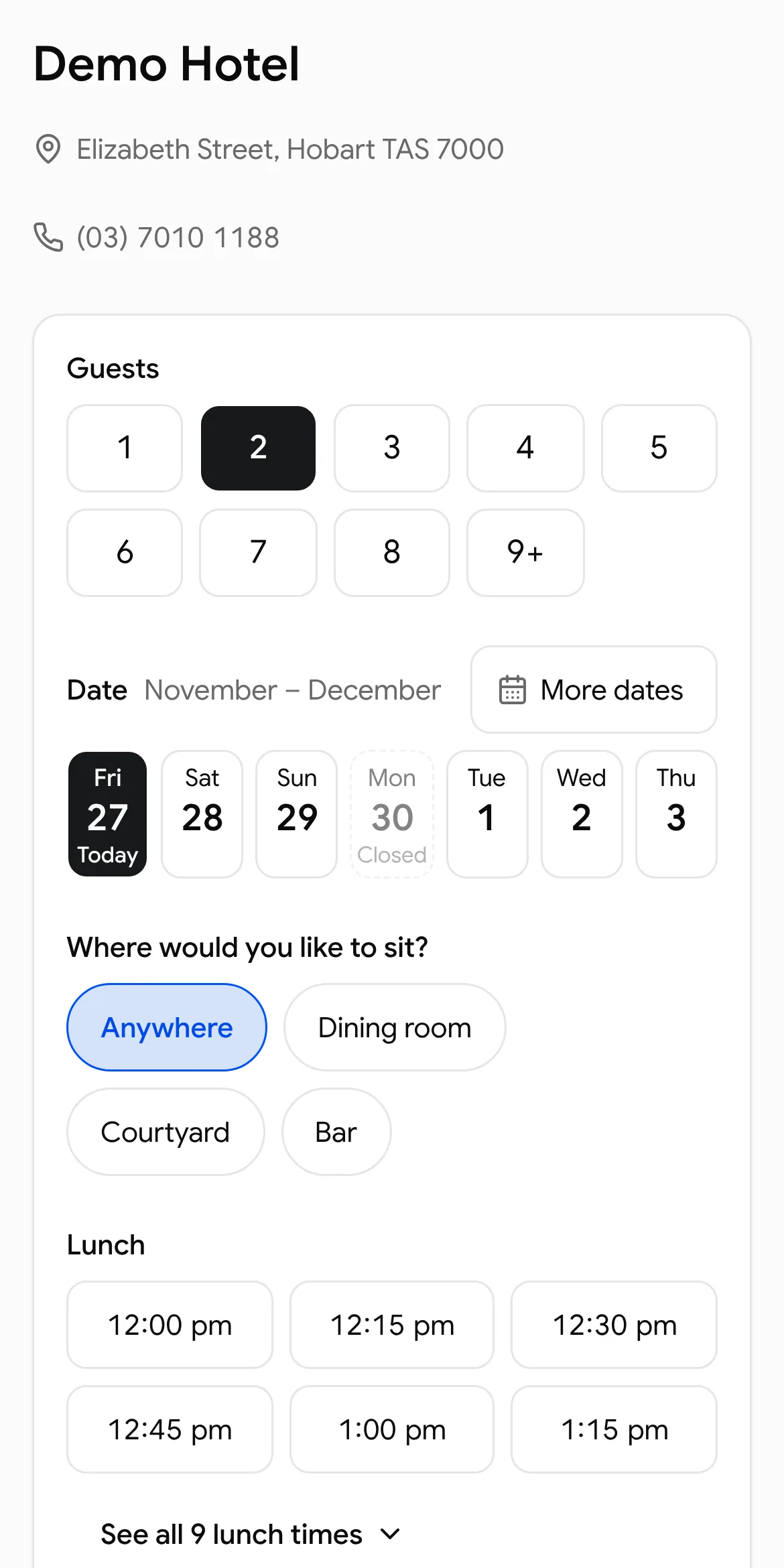
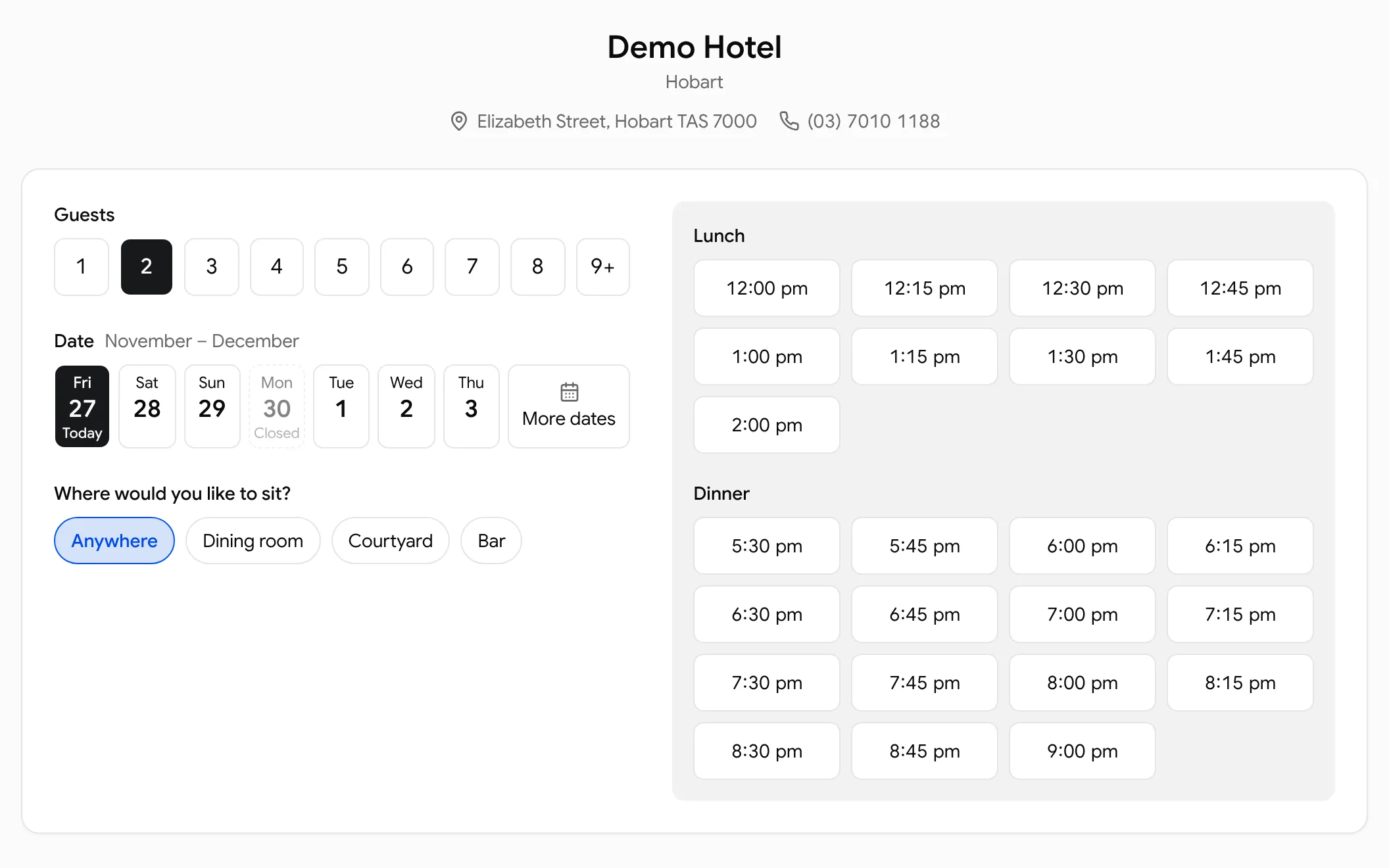
Party, date and time, details, done. No guest account. Embed it on your website, and guests change or cancel from the link in their confirmation.
A guest book you own
Visits, no-shows, tags, VIPs and allergy notes the guest agreed to share. Merge duplicates, export a guest's record, or delete it on request.
Confirmations and reminders
Email on booking, change and cancellation, and a reminder before the visit. Texts join them, with quiet hours and STOP, once SMS is live.
Deposits and card guarantees
Set rules by service and party size, charge a no-show up to the fee the guest accepted, and refund in full or part. Live once Stripe Connect is.
A waitlist that quotes from the floor
Quoted waits worked out from the tables in use. Guests join by QR, and a full time offers a standby list. Table-ready texts come with SMS.
Experiences and pre-orders
Sell a tasting night or a long lunch with its own sessions and seats. Offer extras at booking, and take a pre-order from larger groups.
Feedback and guest emails
A short survey after the visit, then birthday, milestone, come-back and lapsed emails to guests who opted in. No tracking pixels.
Reports that count
Covers, bookings, average party, no-show and cancellation rates, where bookings came from, and covers against the roster. Download any period as CSV.
Bring your history with you
Import guests and bookings from NowBookIt, SevenRooms, OpenTable, ResDiary, Quandoo or any CSV, with a dry run before anything is saved.

The booking page guests see
Where guests book
Every booking lands in the same diary
What's live today, and what switches on as each partner does.
- Available
Your booking page and website widget
A page on HospoTek and a widget that sits on your own site.
- Available
Phone and walk-ins
Taken at the host stand, with the guest's visits and flags as you type.
- Available
QR waitlist and online standby
A poster for the door, and a standby list when a time is full.
- Built, not live yet
Reserve with Google
Built to Google's booking spec. Goes live once Google approves HospoTek as a partner.
- Built, not live yet
Instagram, Facebook, Tripadvisor, Apple Maps and the MICHELIN Guide
One connection through the Mozrest channel manager, live once our partner agreement is signed.
- Built, not live yet
An assistant that answers the phone
Takes, changes and cancels bookings, says it's automated first, and hands anything else to a person.
Payments, texts and the till
- Built, not live yet
Deposits and card guarantees through Stripe
Paid into the venue's own Stripe account, live as Stripe Connect is switched on.
- Built, not live yet
Text messages
Sent under the venue's own name once its sender ID is registered. Email works today.
- Built, not live yet
Point of sale: Square, Doshii and Tyro Connect
Spend per booking and per guest, and the table moves to Paid when the bill closes.
Switching
Bring your guests with you
From NowBookIt, SevenRooms, OpenTable, ResDiary, Quandoo or any CSV.
Upload
The guest and booking exports from your current system, as CSV.
Check
Match the columns, then a dry run shows what will come in before anything is saved.
Switch
Import, put the booking page on your site, and turn the old system off.
What it doesn't do yet
- It is an add-on to HospoTek Professional, not sold on its own yet.
- Reserve with Google, the Mozrest channels, Stripe payments, text messages, point of sale and the phone assistant are built and switch on as each partner goes live.
- There is no gift card or voucher system.
- Group-wide guest books across several venues are not built yet; each venue keeps its own.
Price
A flat monthly price per venue. No cover fees.
HospoTek Table is an add-on to HospoTek Professional. We switch it on for your venue and help you set it up.
Questions
Before you switch
What does HospoTek Table cost?
Can we move from NowBookIt, SevenRooms or Quandoo?
Who owns the guest data?
Does it work on an iPad at the host stand?
What do the rest of the team see?
See HospoTek Table on your floor
A walkthrough with your tables, your services and your roster.